Setting up Burp for refreshing short-lived auth tokens
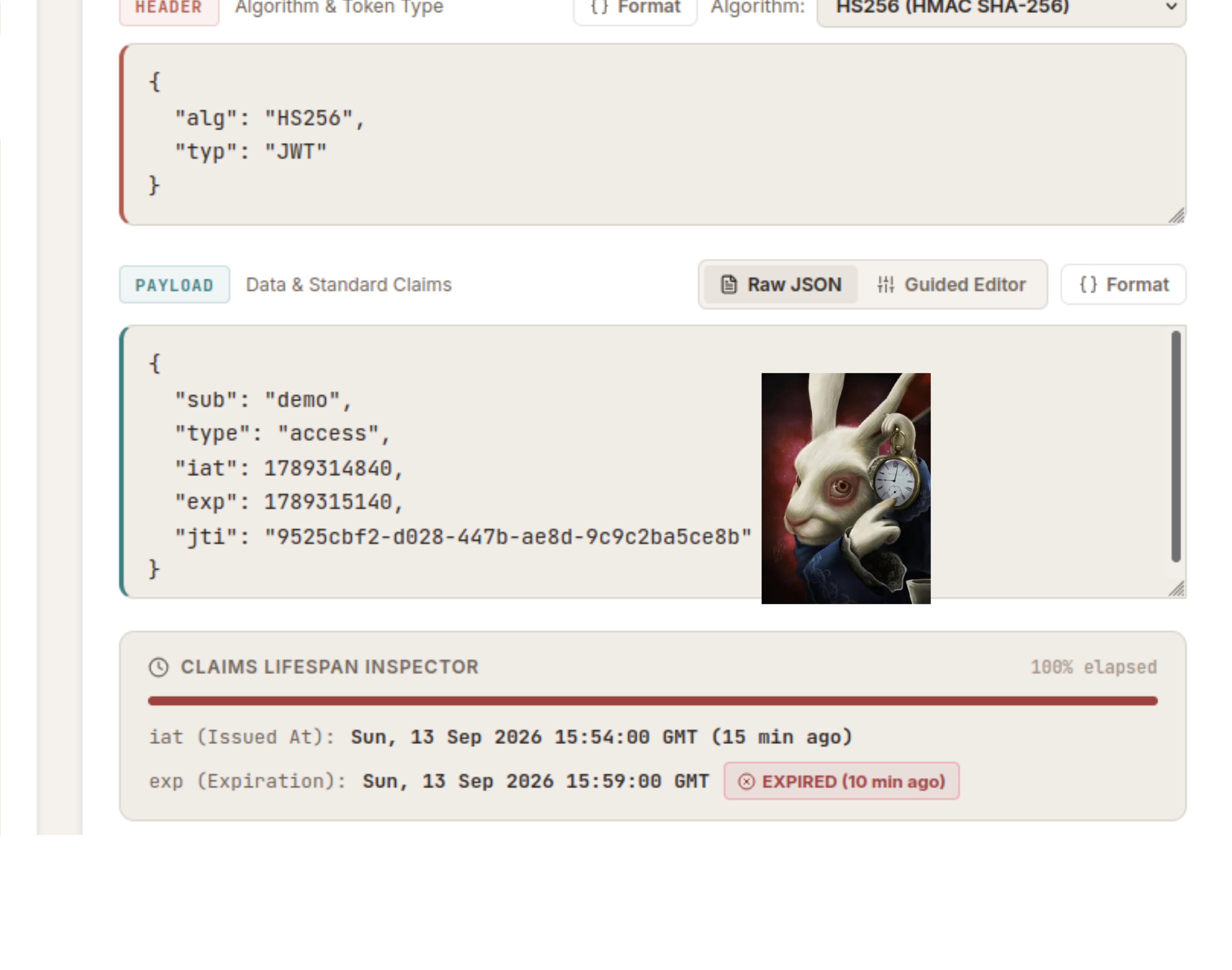
Recently at $WORK, I ran into issues with an API where it was issuing very short-lived tokens. This meant that every 5 minutes, I would get kicked out of my session if I didn’t refresh it. Now, this isn’t that big of a deal if you’re dealing with an application that includes a UI, as the JavaScript would fetch the refresh token requests for you in the background. But if you’re working on a plain API, then you’re in for a rough time.
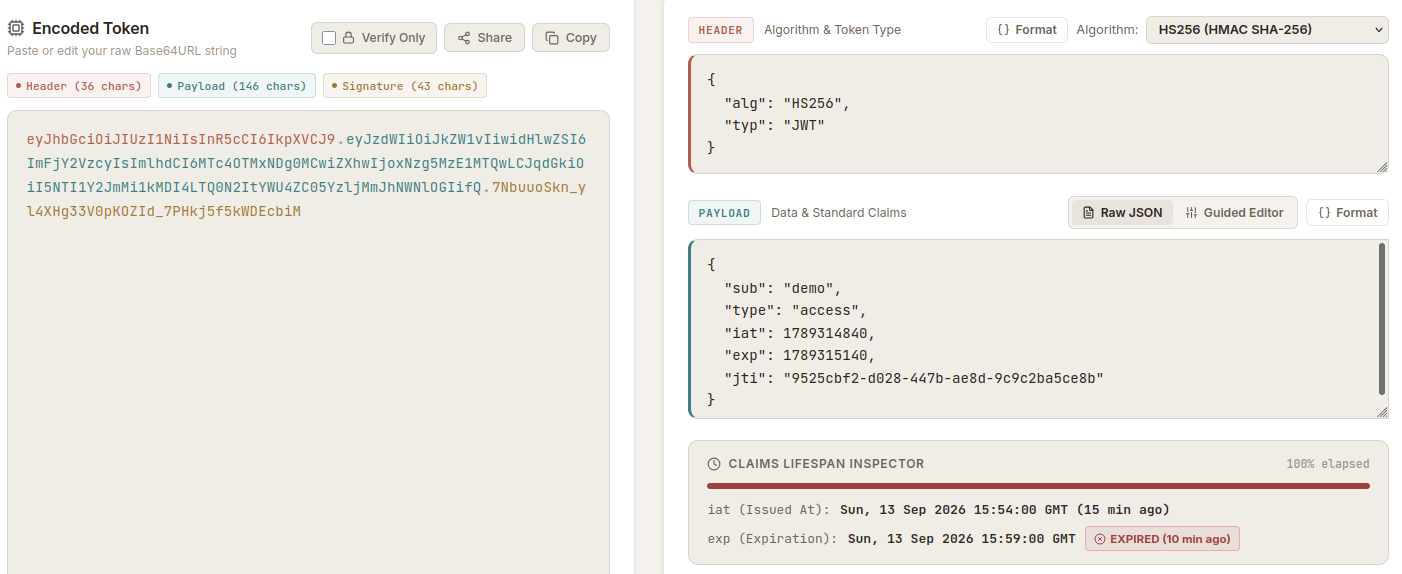 My token only lasts 5 minutes :(
At first, I thought I could solve this using a Burp macro like the ones I showcased in our RE:UN10N sharing session, but then I realised that Burp only supported updating cookies, and you couldn’t do Authorization header replacements with macros.
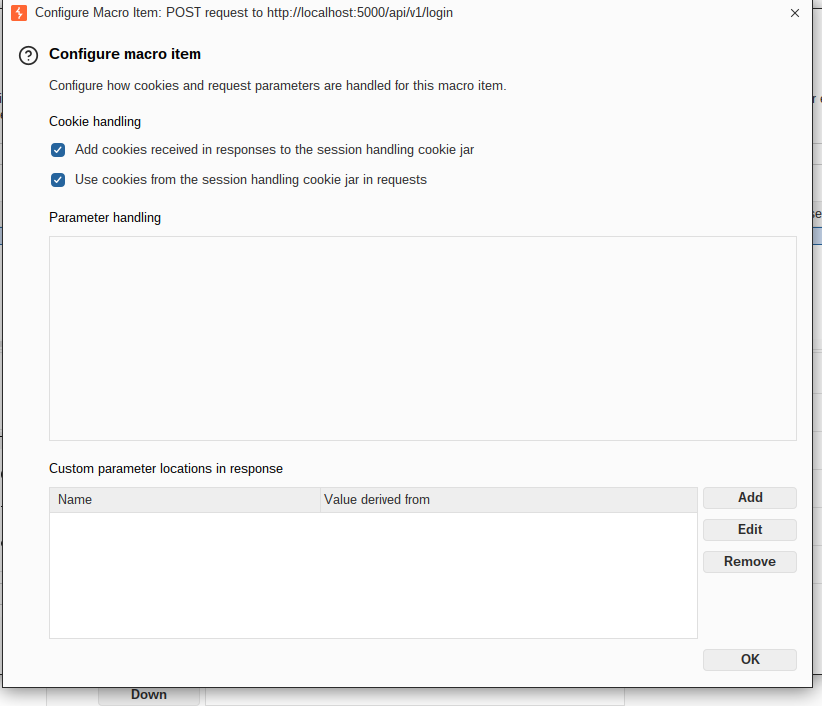
In this post, I’ll list a couple of methods I came up with to work around this :)
- Burp Macro + Customer Parameter Handling extension: I’d use this if your app multiple user accounts and roles that you want to test. You can setup different profiles in CPH and toggle them as needed. I’d also go for this option if you’re working with an API only and there’s no background JavaScript that refreshes tokens for you while logged in to a browser.
- Collector extension: Found this handy extension from Tib3rius which he also showcased for refreshing JWTs automatically in his video. Definitely give it a watch, the extension can do a lot more other than refreshing tokens.
Burp Macro + Custom Parameter Handling extension
Install CPH from the BApp store or GitHub.
Setup a session handling rule to check for invalid sessions.
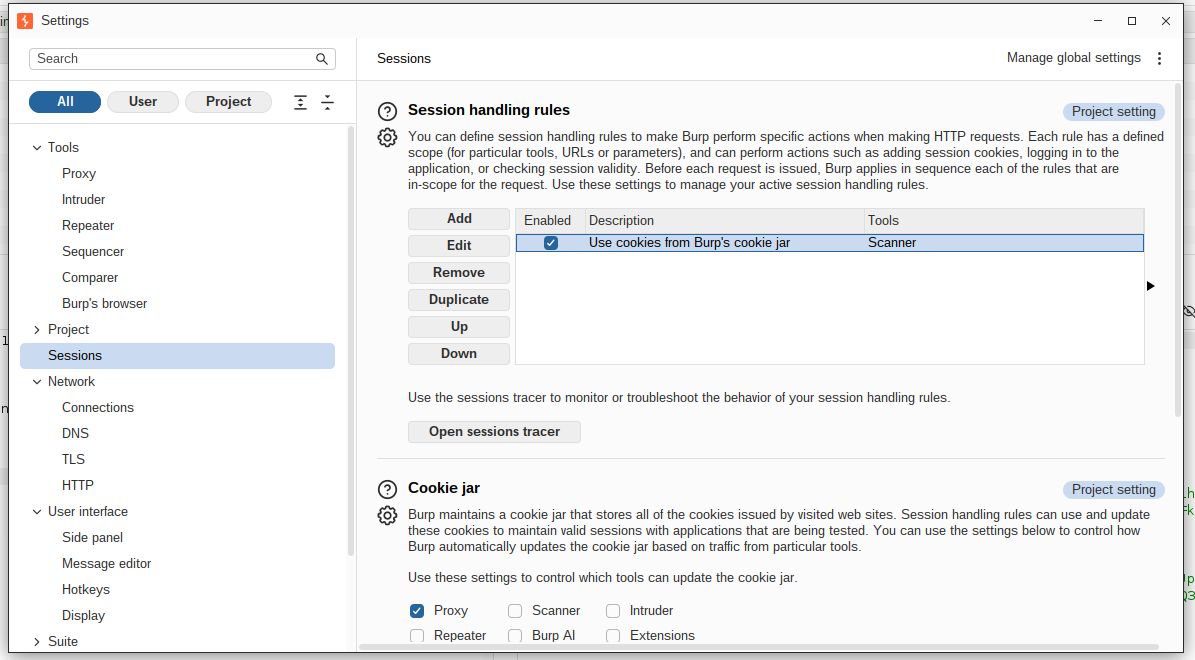
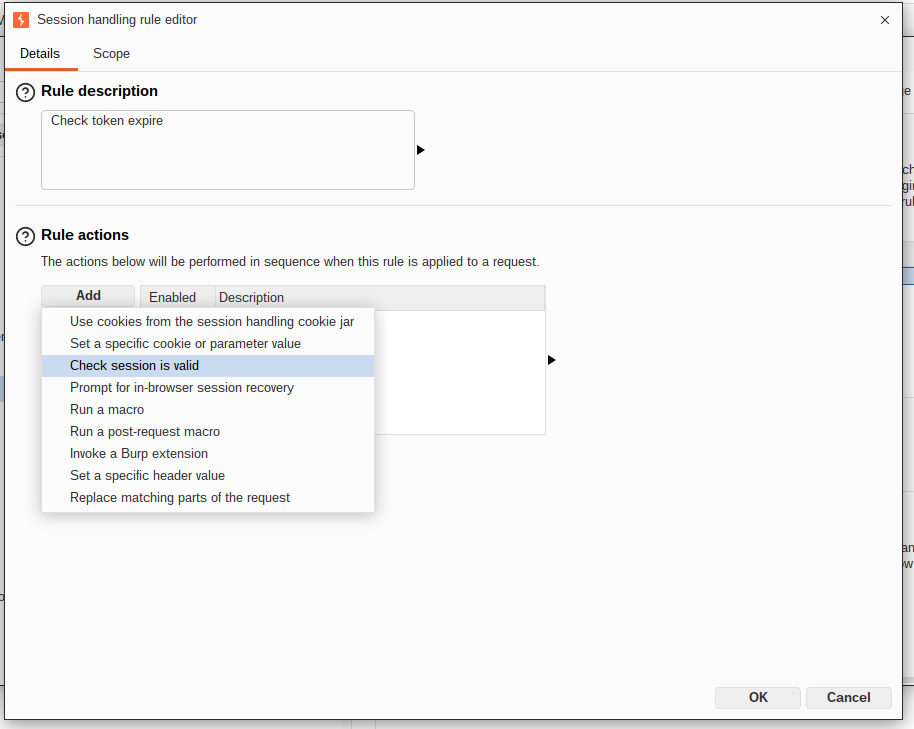
Setup the macro as follows. Update the rule for determining invalid sessions accordingly. The macro should be the one that will request a new access token, in this case I’m going to re-login everytime my token expires. Remember to tick the option to invoke the CPH extension action handler.
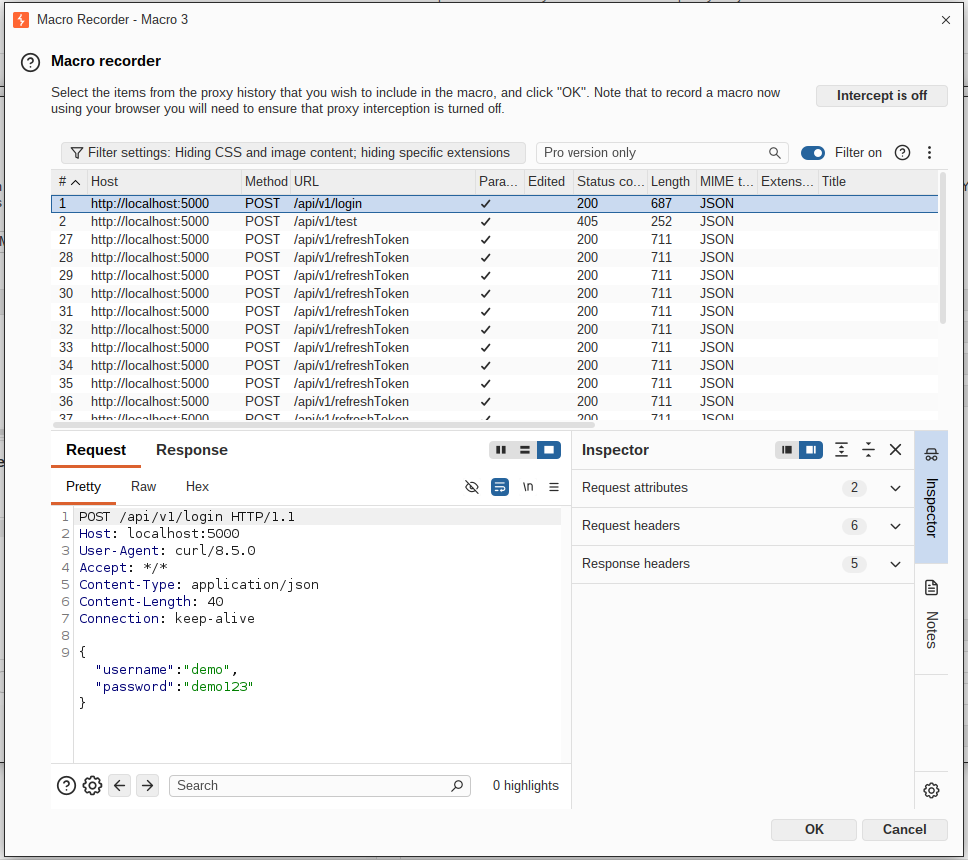
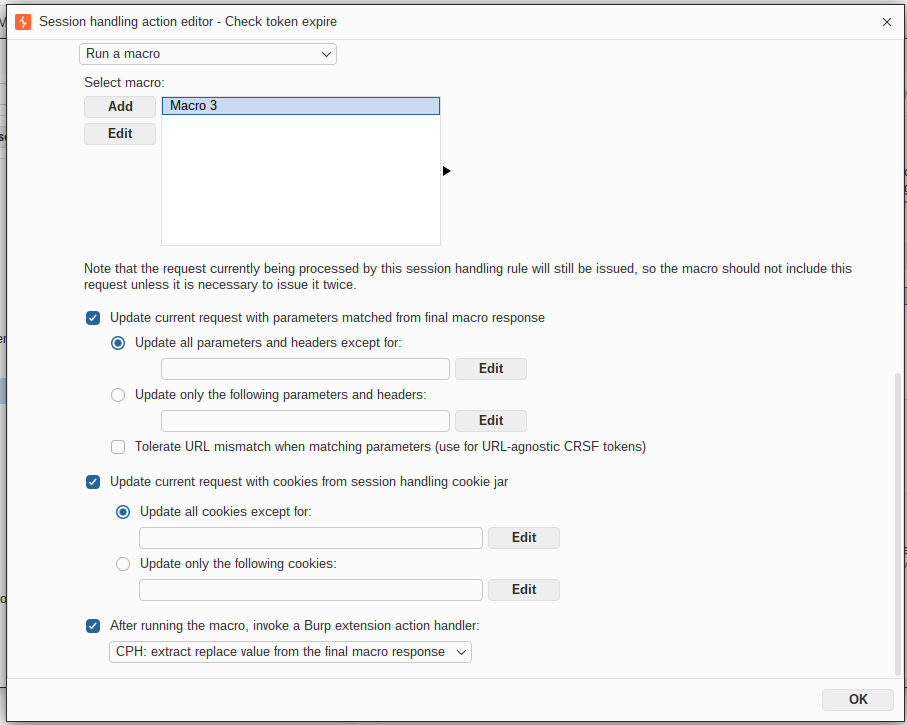
I omitted the parts where you define the scope for the session handling rule. DIY based on your use case.
Setup CPH with your tool scope, and create regexes for extracting and replacing the accessToken from the macro response. Do note that CPH uses python re for regexes when writing your regexes.
Here are the ones that I used:
1
2
3
4
5
6
7
8
// you can make it less strict but this works
eyJ[A-Za-z0-9_-]*\.[A-Za-z0-9_-]*\.[A-Za-z0-9_-]*

// replaces with the jwt named group
\g<jwt>

// matches the access token and saves it to jwt named group
"accessToken"\s*:\s*"(?P<jwt>[^"]+)"
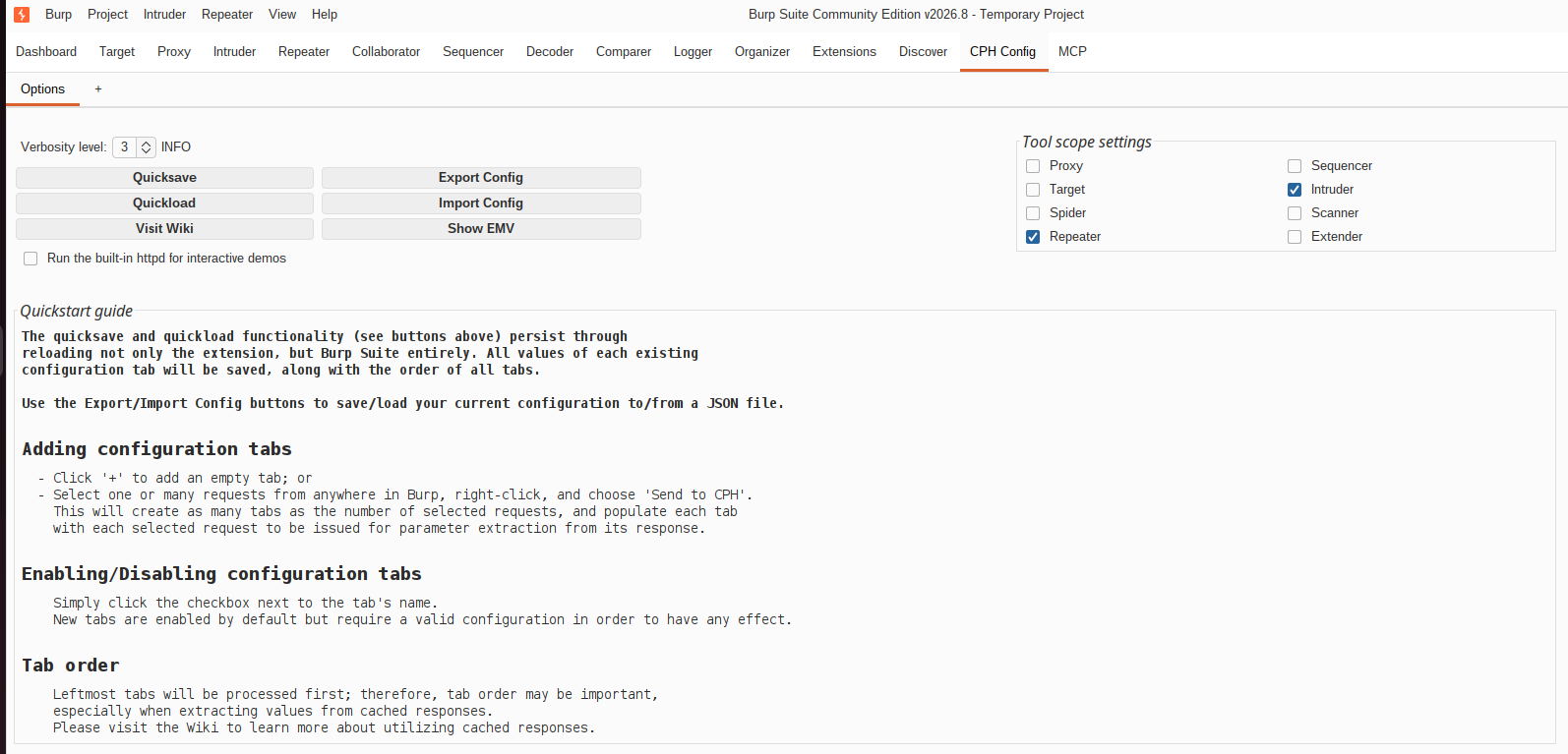
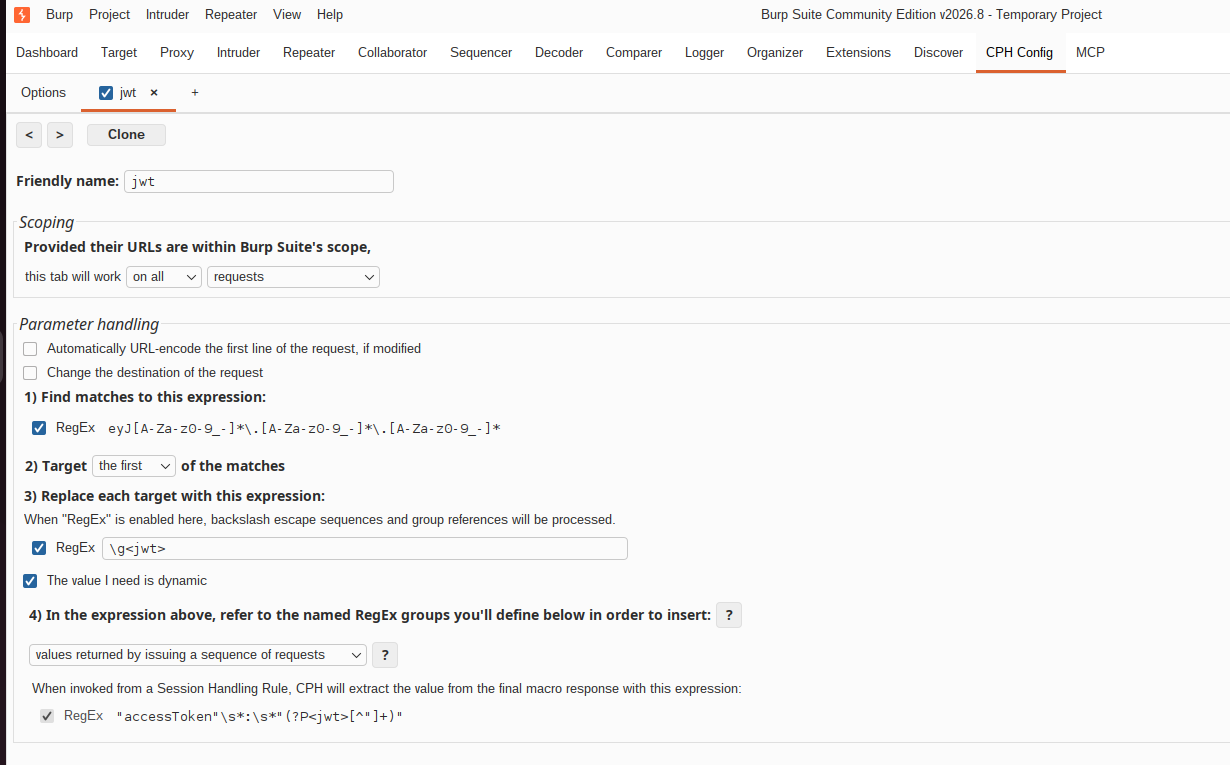 In 4), make sure you select “values returned by a sequence of requests” otherwise CPH will execute everytime even if the session is valid. Took me longer than I’d like to figure this out…
Using Collector
Setting up Collector for refreshing tokens is a lot easier imo. The extension passively listens to your Proxy history for refresh token requests while you have the website opened in your browser. Then, it extracts the access token from those responses in buckets and does the token replacement. With some extra steps, it can also be used with non-UI apps.
Download the extension for GitHub.
While having the website opened in your browser, log the refreshToken requests to your proxy history. We’ll configure Collector to extract for this response.
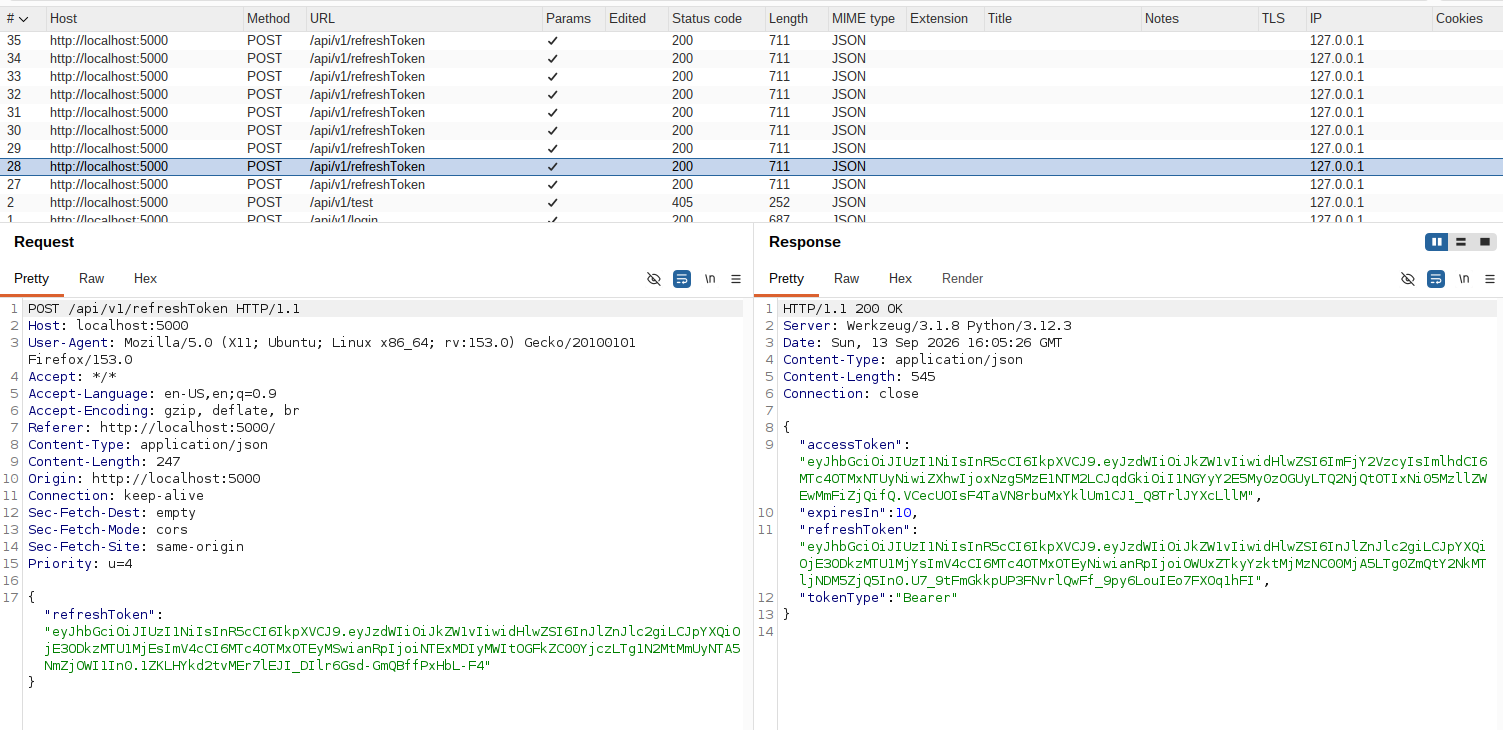
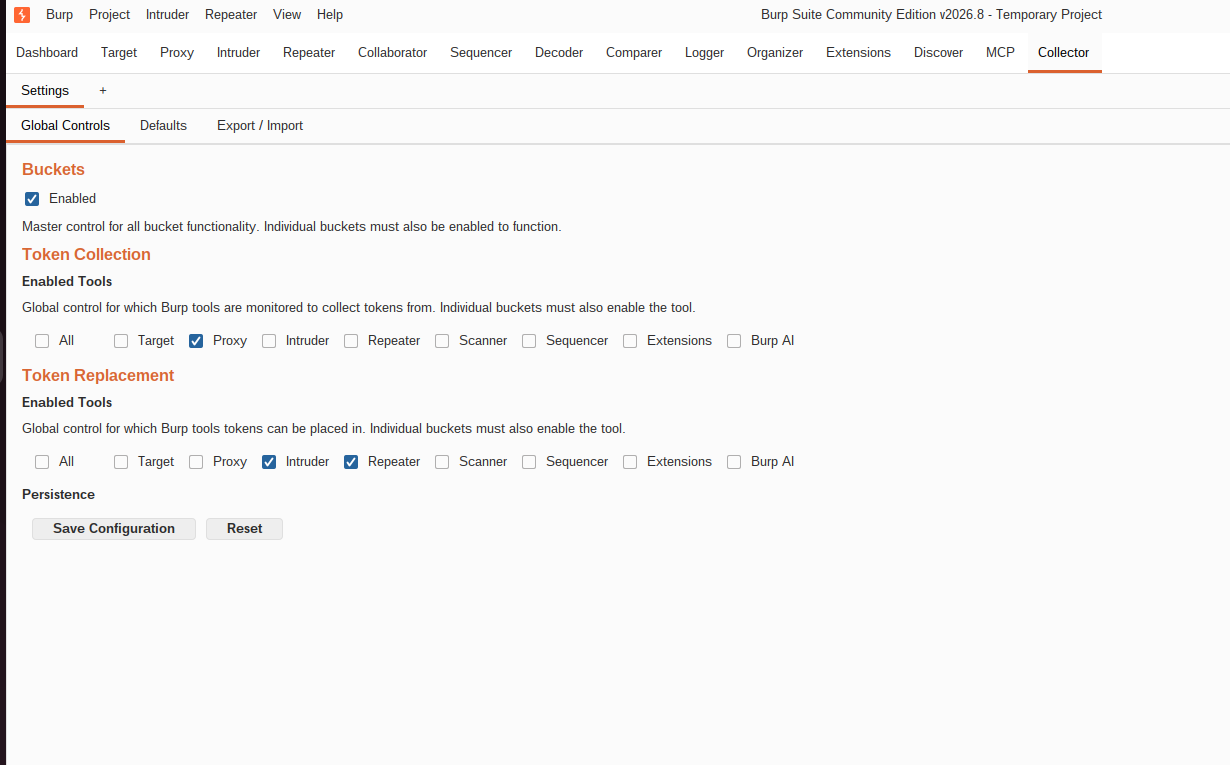
Set up the token collection and replacement tool scopes. For token collection, I just want Proxy, and for replacements, I primarily just work with Repeater, Intruder and Scanner so I’ll tick those.
Create a bucket. You can set the number of tokens that you want to store, I’d normally go with 1 and replace it as a new token is refreshed. 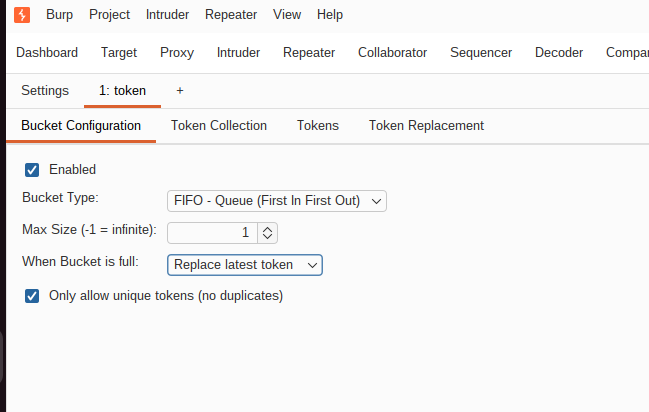
Add the request for refreshing tokens to the collection URL scope. Then, add a collection pattern for extracting the accessToken from the refreshToken response.
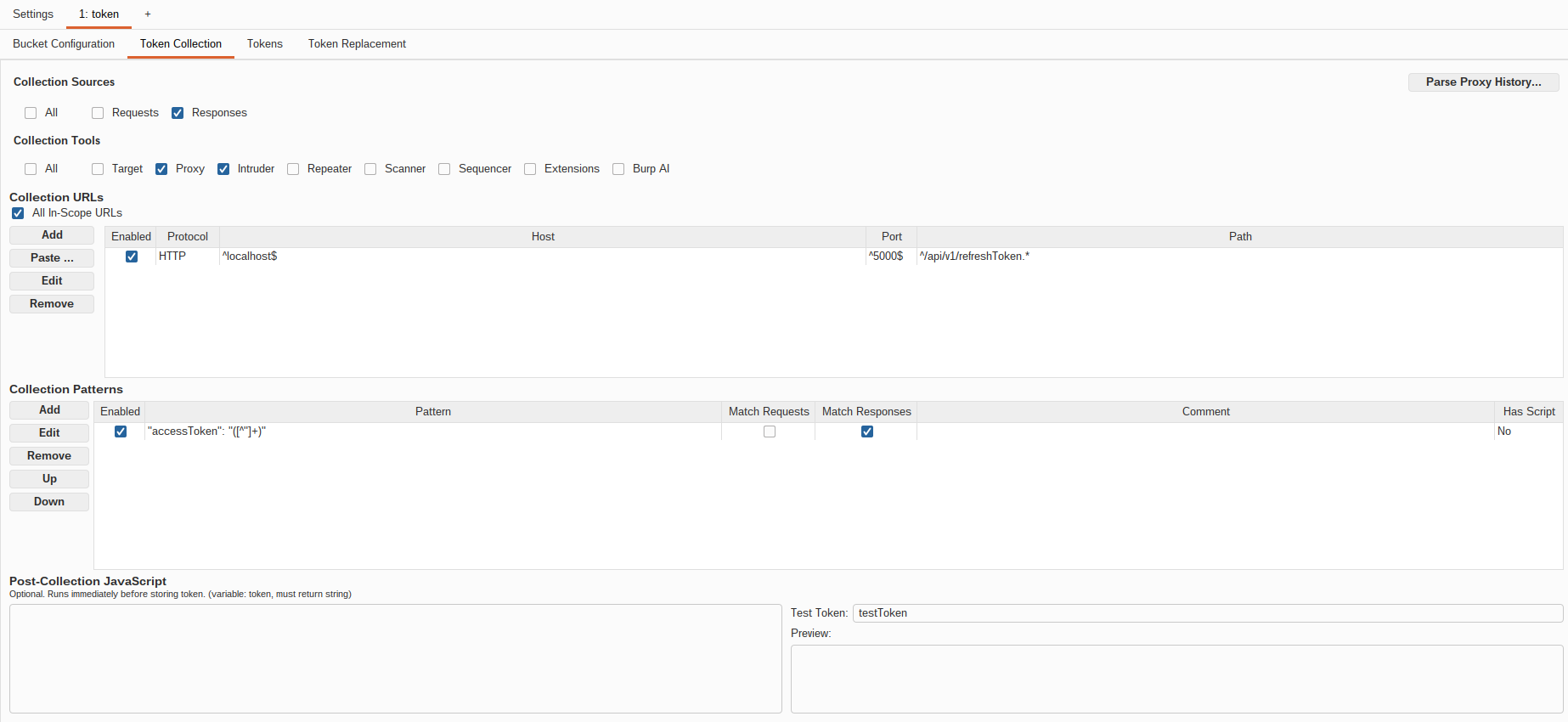
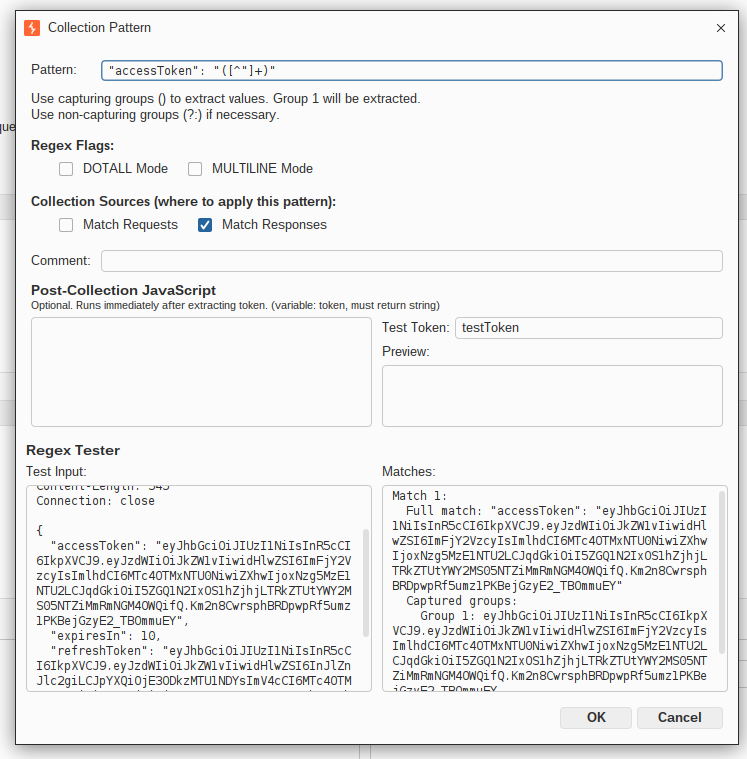
"accessToken":"([^"]+)"
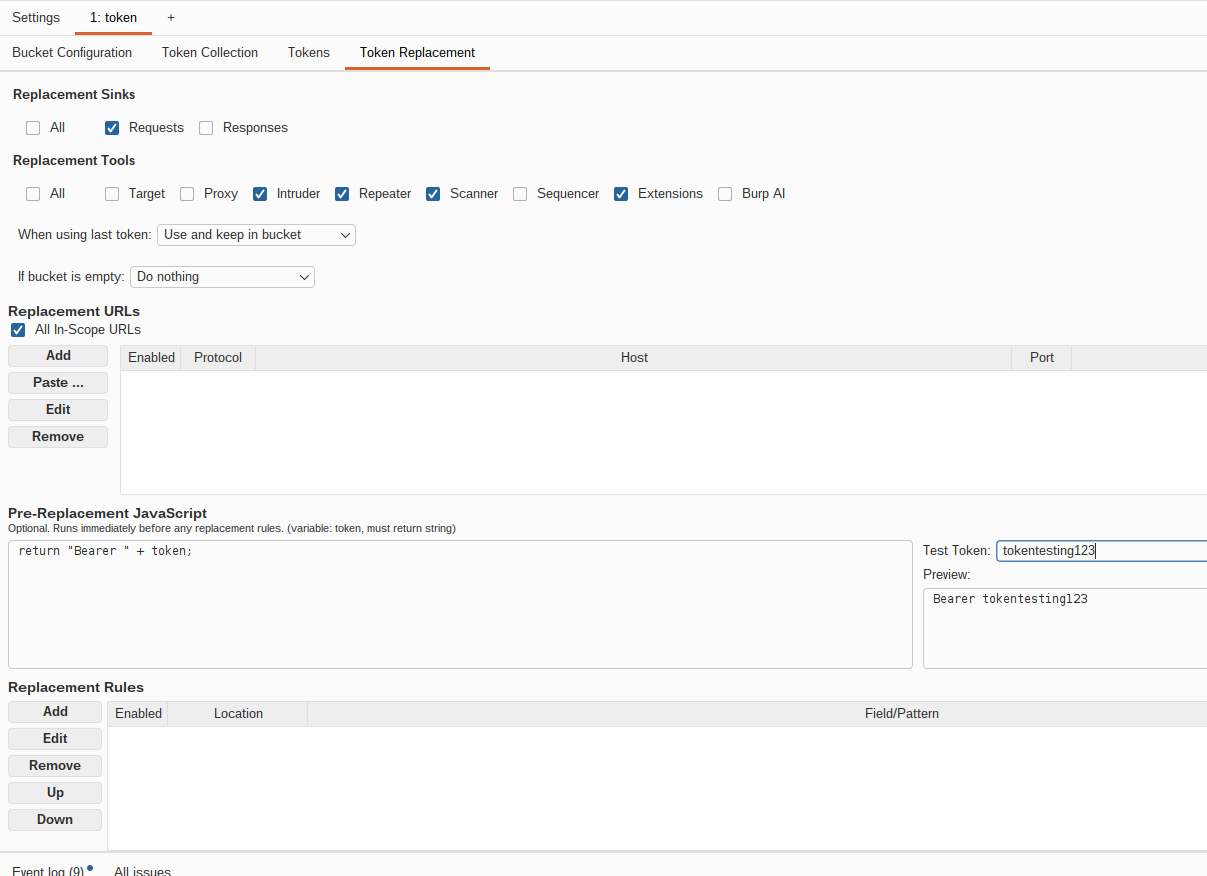
In the Token Replacement tab, set the replacement sink to requests and select the tool scope that you need. In Pre-Replacement JavaScript, I added return "Bearer " + token; so that the extracted token is in the Bearer format.
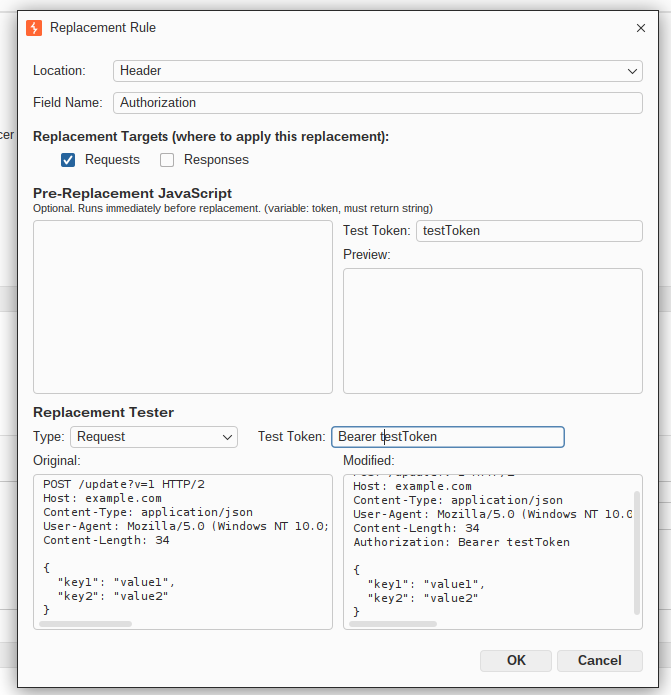
Add a replacement rule to replace the Authorization header.
If everything was configured properly, you’ll see your refreshed token in the bucket when it’s collected from your Proxy history.
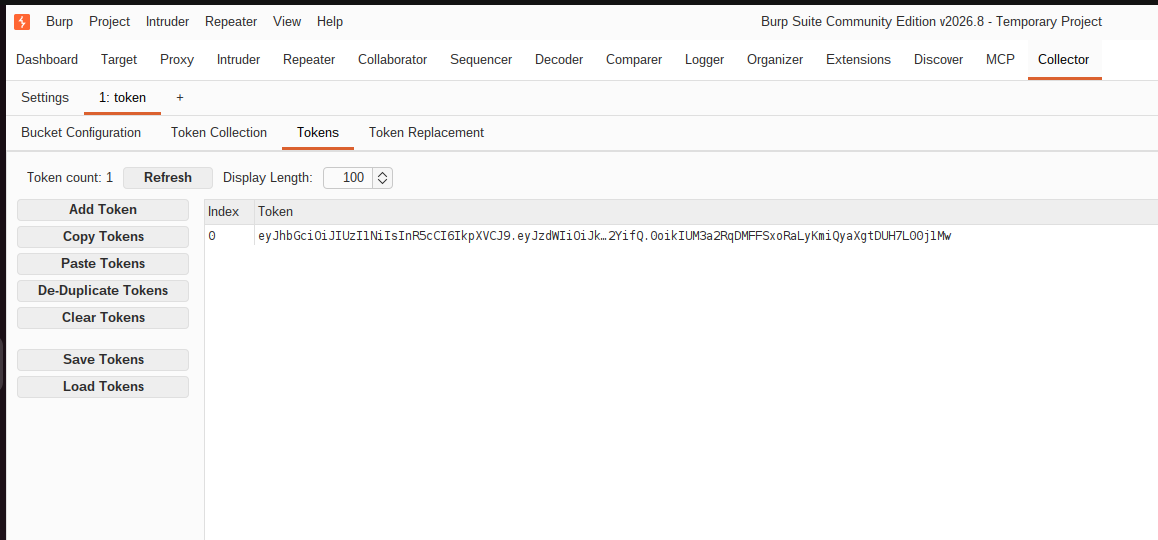
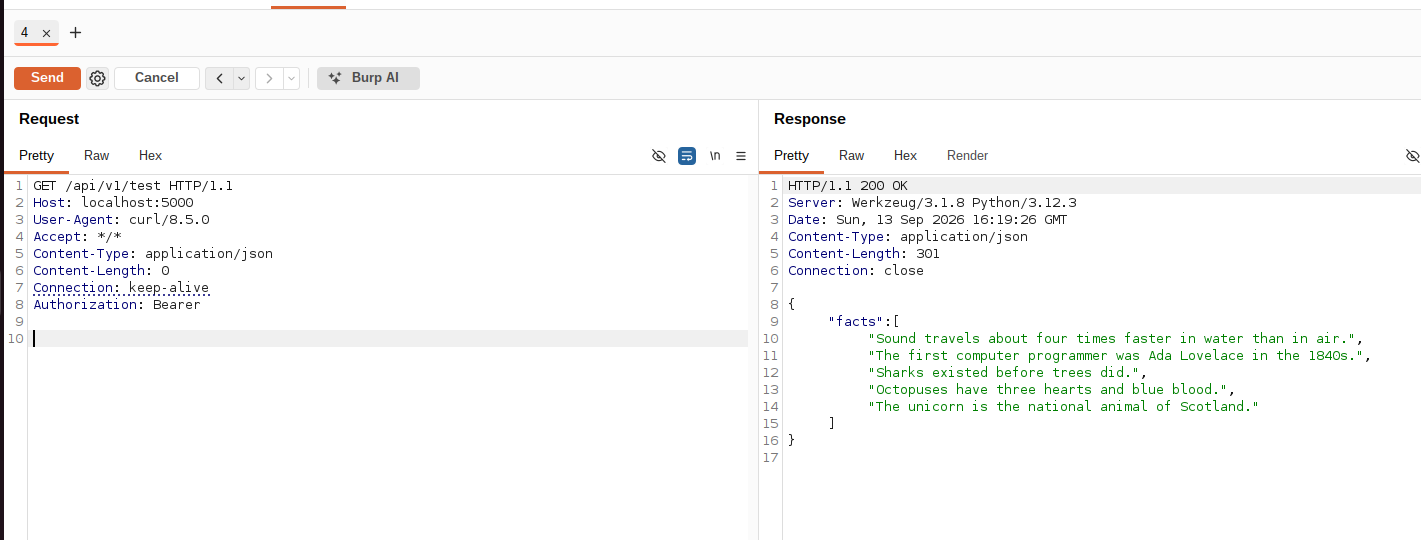 Here’s what it looks like in action
Using Collector + Intruder for non-UI applications
The idea here is to use Intruder to “simulate” token refreshes when you don’t have client-side JavaScript doing it for you in the background.
In Intruder, select the null payload attack and set it to run indefinitely.
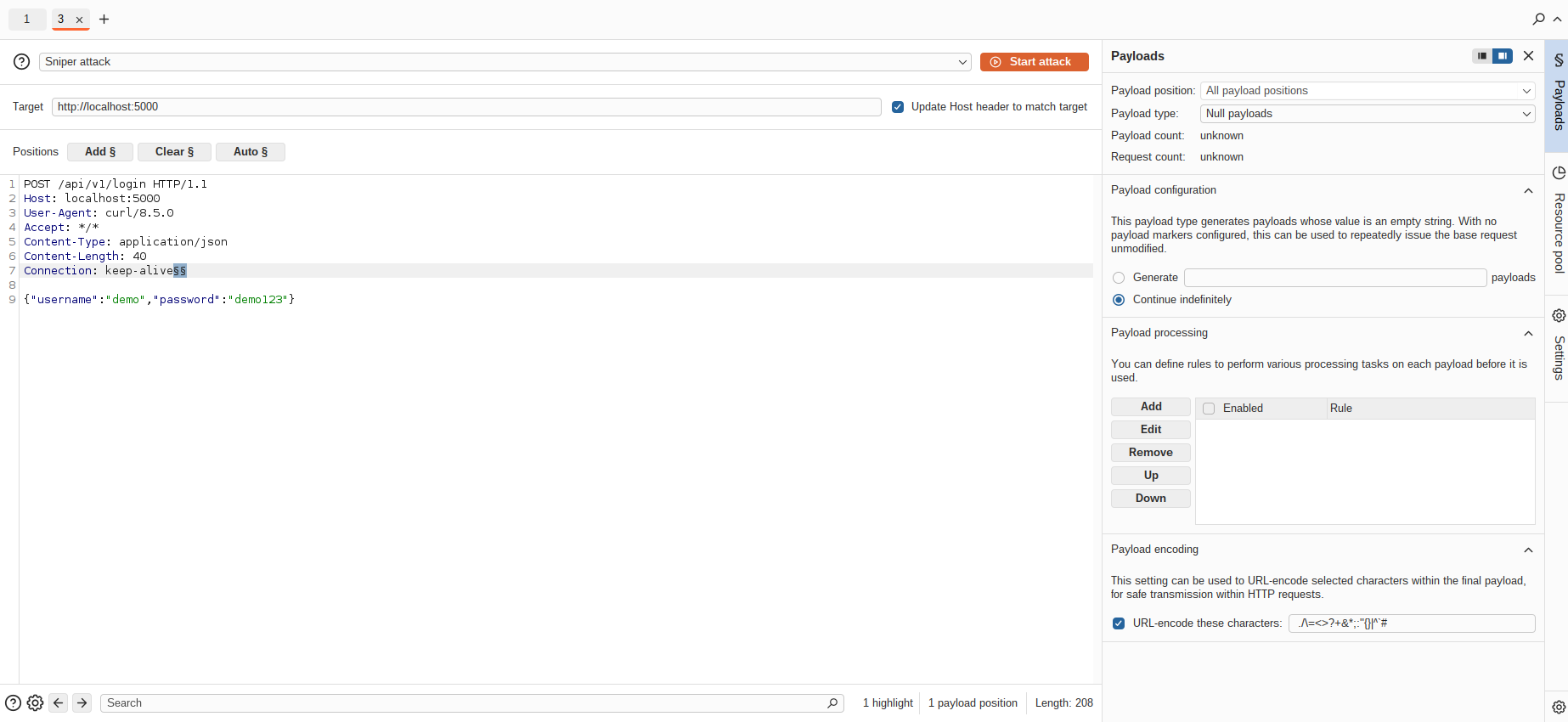
Create a resource pool to delay requests every 5 minutes.
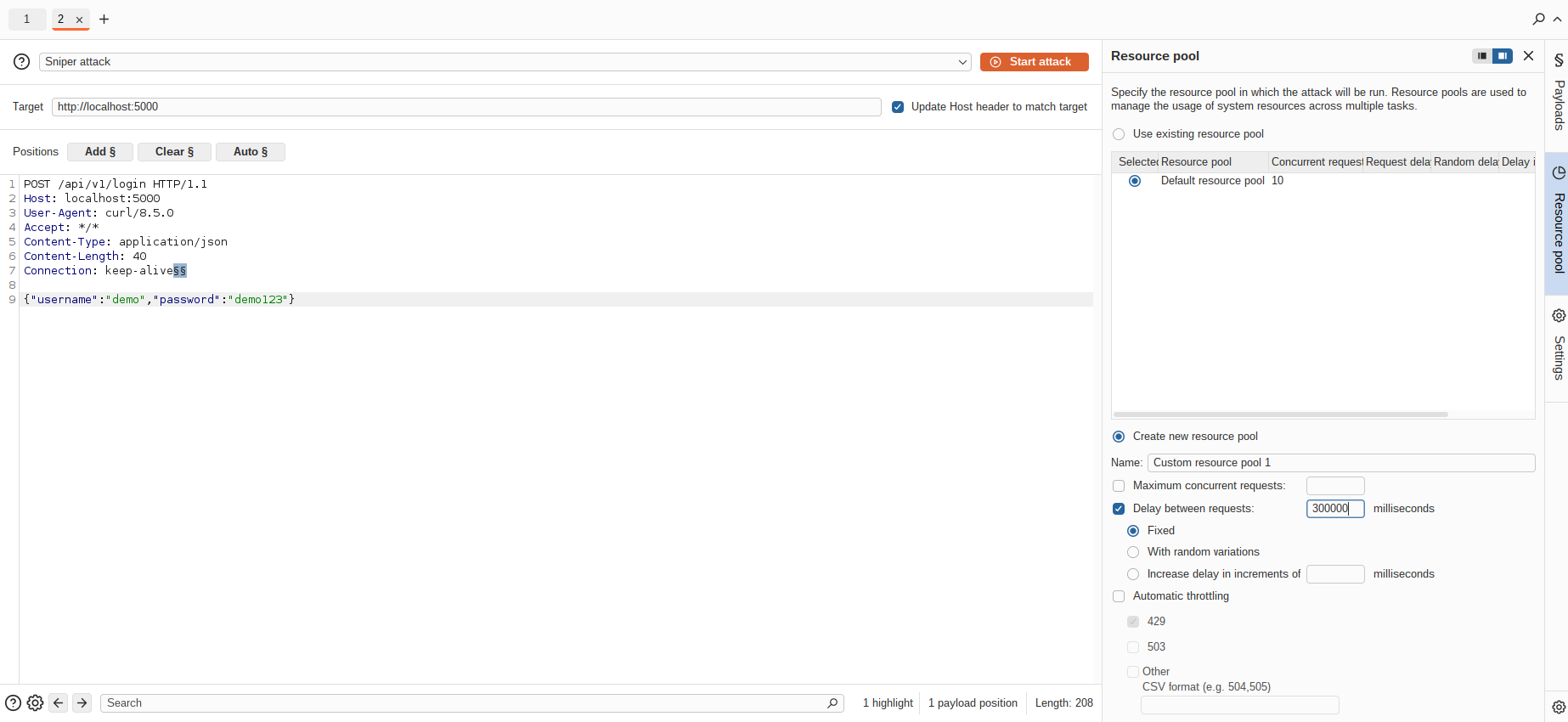
Then, set up Collector as shown in Using Collector